X777 DEPOSIT is the process registered users follow to add funds to their platform wallet before accessing paid features inside X777. A standard transaction involves selecting an available payment method, checking the receiving details, entering an amount and waiting for the balance to appear in the account.
The steps are not difficult, but deposit errors can happen when users rush through the payment screen. An incorrect wallet number, unsupported amount, expired receiving account or incomplete payment reference may delay the balance update even when money has already left the payment account.
This guide explains the complete deposit journey for users in Pakistan. It covers account preparation, available payment channels, deposit limits, transaction confirmation, wallet delays, promotional conditions and the checks users should complete before opening the X777 Game lobby.
What X777 DEPOSIT Means
X777 DEPOSIT refers to transferring money from a supported payment source into the wallet attached to a registered X777 account. Once the payment has been verified, the corresponding amount should appear in the platform balance.
The deposit section may display:
- Available payment methods
- Minimum and maximum amounts
- Receiving wallet or account details
- Payment instructions
- Transaction-reference fields
- Current processing status
- Deposit history
- Promotional eligibility
The information shown inside the account should be treated as the current source of truth. Receiving numbers and payment instructions may change, so users should not rely on details copied from an old screenshot, article or private message.
X777 DEPOSIT Overview
| Deposit item | Details |
| Brand | X777 |
| Main function | Add funds to the account wallet |
| Access methods | Mobile website or X777 APK |
| Account requirement | Registered and logged-in account |
| Payment availability | Depends on methods displayed in the wallet |
| Currency and limits | Check inside the current deposit page |
| Verification | May require payment reference or confirmation |
| Processing status | Visible in wallet or transaction history |
| Recommended source | Official X777 account only |
| Main safety rule | Verify the receiving details before payment |
Users should never transfer funds to a number simply because it is presented by an unofficial agent. The receiving information should match what is shown after logging in to the verified platform.
Prepare the Account Before Making a Deposit
A deposit should begin with account and device checks rather than an immediate transfer.
Confirm the Account Is Correct
After login, review the account name or registered mobile number. This reduces the chance of adding funds to the wrong profile on a shared device.
Check:
- The registered number
- The displayed account ID
- The current wallet balance
- Recent login activity
- Whether the deposit page belongs to the correct account
If unfamiliar activity appears, secure the account before making a payment.
Use the Official X777 APK or Website
Android users may access the wallet through the verified X777 APK, while other users may use the mobile website.
Avoid depositing through an application that:
- Came from an unknown APK directory
- Displays inconsistent branding
- Redirects to an unrelated website
- Requests unnecessary phone permissions
- Shows receiving details only through a chat message
- Asks users to send an OTP to an agent
Modified apps may imitate a real wallet interface while directing money elsewhere.
Check the Latest Payment Instructions
Payment channels can change because of platform updates, provider maintenance or regional availability.
Before every deposit, verify:
- Payment-provider name
- Receiver number or account
- Minimum amount
- Maximum amount
- Required reference
- Expiry time of the payment instruction
- Whether manual confirmation is needed
Users should not assume that a receiver used successfully in the past remains active.
Keep a Stable Internet Connection
A payment may complete at the provider level while the app fails to record the confirmation because the connection drops.
For a smoother transaction:
- Use stable mobile data or private Wi-Fi
- Avoid switching networks during payment
- Keep the payment and platform apps open
- Do not refresh repeatedly after submission
- Keep sufficient battery available
How to Complete X777 DEPOSIT
The exact interface may differ between versions, but the practical process generally follows the same sequence.
Step 1: Log In to X777
Open the verified platform and enter the registered credentials. Complete OTP verification when the system requests it.
Users should not deposit from a device that is already showing unusual login behaviour or repeated security alerts.
Step 2: Open the Wallet
Locate Wallet, Deposit, Recharge or Add Funds from the account dashboard.
The page should display the available deposit methods and current account balance.
Step 3: Select a Payment Method
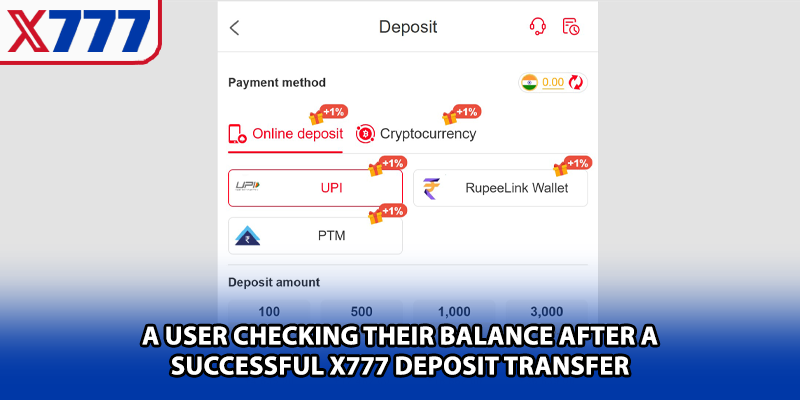
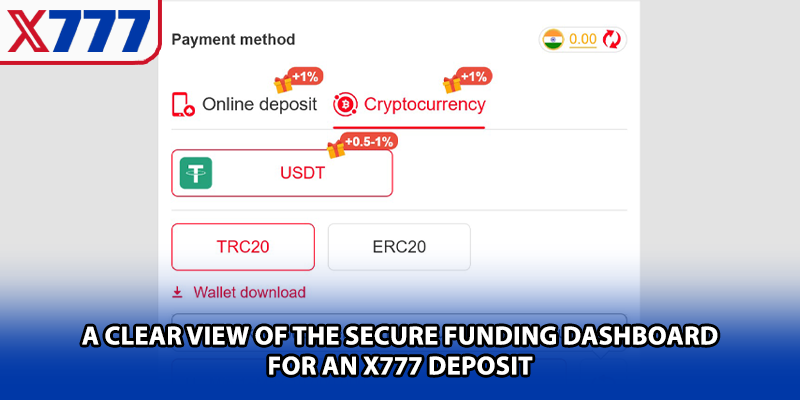
Choose one of the methods currently displayed inside the account. Pakistan users may see mobile-wallet, bank or manual transfer options depending on current availability.
A suitable method should be:
- Accessible to the account holder
- Registered with accurate information
- Able to generate a transaction receipt
- Within the displayed payment limits
- Supported by the current platform wallet
Step 4: Enter the Deposit Amount
Type the intended amount and check that it meets the current minimum and maximum limits.
Avoid:
- Entering an amount below the minimum
- Adding an extra zero accidentally
- Depositing a larger amount simply to qualify for an unclear offer
- Ignoring potential provider charges
- Using funds needed for essential expenses
The amount should be reviewed before moving to the payment provider.
Step 5: Copy the Receiving Details Carefully
When the platform displays a receiver number or account, compare every digit before sending money.
Users should verify:
- Account or wallet number
- Receiver name where shown
- Payment provider
- Reference or order ID
- Amount
- Expiry period
Typing the number manually can increase the risk of an error. Copying is often safer, but users should still compare the final digits.
Step 6: Complete the Payment
Open the selected mobile-wallet or banking service and follow its confirmation process.
The payment provider may request:
- PIN
- OTP
- Biometric approval
- Transaction confirmation
- Additional security verification
These credentials should only be entered inside the genuine payment application.
Step 7: Save the Receipt
Keep the confirmation screen or transaction receipt until the platform balance has updated.
The evidence should include:
- Transaction ID
- Amount
- Recipient
- Date and time
- Payment status
- Sender details where appropriate
A cropped screenshot without the transaction reference may not be enough for support to investigate a delayed payment.
Step 8: Return to X777
Go back to the deposit page and complete any required confirmation field.
Depending on the payment method, users may need to:
- Enter the transaction ID
- Upload a payment receipt
- Press Paid or Confirm
- Wait for automatic verification
- Send an order reference through the official interface
Step 9: Check the Wallet Balance
Refresh the wallet once after the stated processing period. Also review the deposit history to see whether the transaction is marked as:
- Processing
- Pending
- Successful
- Rejected
- Cancelled
Do not repeat the payment simply because the balance does not appear immediately.
Using the X777 APK for Deposits
The X777 APK can provide a direct mobile route to the deposit page, but users should keep the application updated and obtain it only from the verified platform.
Benefits of App-Based Deposit Access
The app may offer:
- Direct wallet access
- Easier movement between payment and account screens
- Transaction notifications
- Deposit-history tracking
- Mobile-friendly confirmation fields
- Faster return to the X777 Game dashboard
Actual features depend on the current app version.
Update the App Before Depositing
An outdated APK can cause:
- Blank wallet pages
- Missing payment methods
- Failed confirmation buttons
- Delayed balance synchronisation
- Incorrect transaction status
- Repeated login requests
If the wallet does not work normally, compare the current app version with the official download page before transferring money.
Do Not Install a New APK During a Pending Deposit
Changing or reinstalling the app while a transaction is being verified can make tracking more confusing.
First save:
- The transaction reference
- Payment screenshot
- Account ID
- Time of payment
- Current deposit status
The wallet record should usually remain attached to the account, but local app data may be removed during reinstallation.
Deposit Methods for Pakistan Users
The available payment list should always be checked inside the account. The following channels may appear depending on current provider support.
Mobile-Wallet Payments
Mobile wallets are commonly used because they allow users to make payments from a phone and provide a digital receipt.
Where supported, services such as JazzCash or Easypaisa may offer:
- Mobile-number-based transfers
- Immediate payment confirmation
- Transaction IDs
- In-app payment history
- PIN or biometric security
Availability should not be assumed. Use these methods only when they are explicitly displayed inside the official X777 DEPOSIT section.
Mobile-Wallet Deposit Checklist
Before confirming:
- Check the receiver number
- Confirm the provider
- Review the recipient name
- Enter the exact amount
- Save the transaction ID
- Do not share the payment PIN or OTP
Bank Transfer
A bank-transfer option may be suitable when it appears inside the current wallet page.
Compared with mobile-wallet payments, bank transfers may involve:
- Longer processing times
- Manual verification
- Account-title checks
- Reference requirements
- Banking-hour delays
- Additional review for large transactions
Users should transfer only to the current account shown on the platform.
Manual Recharge or Agent-Based Payment
Some platforms use a manual recharge process or approved agent system. This method requires extra caution because it creates more interaction outside the automated wallet.
Before paying:
- Confirm the agent through the official platform
- Check that the receiver matches the active order
- Avoid personal accounts promoted through social media
- Keep written payment evidence
- Never disclose the account password or OTP
- Confirm the recharge in the official wallet
An agent should not require remote access to the phone.
Payment Method Comparison
| Method | General convenience | Confirmation evidence | Possible delay |
| Mobile wallet | High where supported | Digital receipt and transaction ID | Provider or verification delay |
| Bank transfer | Useful for eligible accounts | Bank reference | Banking schedule or manual check |
| Manual recharge | Depends on official process | Receipt or reference | Agent verification |
| Other wallet options | Varies by account | Provider confirmation | Provider-specific |
No method should be described as always instant. Processing depends on provider availability, account verification and platform synchronisation.
Minimum and Maximum Deposit Limits
Deposit limits are not always the same for every payment channel. The amount displayed in the account should be checked before each transfer.
Limits may depend on:
- Chosen provider
- Account status
- User-verification level
- Current wallet rules
- Promotional campaign
- Payment-provider restrictions
- Daily transaction limit
A payment below the required minimum may be received by the provider but fail to credit automatically.
A large deposit may require extra verification or take longer to review. New users should not start with a large amount merely because the platform permits it.
Deposit Processing Time
Many transactions may update quickly, but users should avoid treating every payment as instant.
Processing time can be affected by:
- Mobile-network congestion
- Provider maintenance
- Incorrect payment reference
- Manual receipt review
- Server synchronisation
- High transaction volume
- Account-verification checks
- Bank operating hours
The wallet status and official processing notice should be checked before contacting support.
What to Do When the Deposit Is Pending
A pending status usually means that the payment is still being matched, verified or synchronised.
Recommended actions:
- Confirm that the provider marked the payment successful.
- Check the receiver and amount.
- Review the transaction reference.
- Wait for the stated processing period.
- Refresh the wallet once.
- Check deposit history.
- Contact official support if the status does not change.
Do not cancel or repeat the transfer unless instructed by the verified support team.
Money Deducted but Balance Not Updated
This is one of the most important deposit problems to handle correctly.
First Check the Payment Status
A deducted amount does not always mean the transfer was fully completed. The provider may show:
- Processing
- Reversed
- Failed
- Successful
- Pending confirmation
Wait until the provider status is clear.
Compare the Transaction Details
Review:
- Receiver number
- Amount
- Transaction time
- Reference ID
- Sender account
- Deposit order information
A mismatch can prevent automatic crediting.
Keep Complete Evidence
Prepare:
- Full payment receipt
- Transaction ID
- Screenshot of the deposit order
- Registered X777 account information
- Current wallet status
Do not publicly post sensitive wallet or account information.
Contact Official Support
Use the support link inside the verified account. Explain the problem clearly and provide the requested transaction evidence.
Support should not ask for:
- Payment PIN
- Account password
- Active OTP
- Remote device access
- Additional payment to “unlock” the deposit
Deposit Marked Failed
A failed transaction may be caused by:
- Incorrect receiver details
- Expired deposit order
- Insufficient payment balance
- Provider transaction limit
- Network interruption
- Unsupported amount
- Duplicate request
- Verification rejection
Check whether the payment was automatically reversed before trying again.
Incorrect Amount Entered
If the sent amount differs from the deposit order, automatic matching may fail.
For example:
- The deposit request was created for one amount
- A different amount was transferred
- Fees reduced the final received amount
- Two smaller transfers were used instead of one payment
Users should contact official support with both the order and payment references rather than creating repeated deposit requests.
Payment Sent to the Wrong Number
A transfer to an incorrect receiver may not be recoverable through the gaming platform because the funds were not sent to the active deposit account.
Users should immediately:
- Save the payment receipt.
- Contact the payment provider.
- Report the mistaken transfer.
- Avoid sending another payment until the details are verified.
- Notify official platform support when relevant.
This is why receiver verification is more important than transaction speed.
Deposit Order Expired
Some receiving details may be valid only for a specific period.
When an order expires:
- Do not use the old receiver automatically
- Return to the wallet
- Create a new deposit request
- Check whether the receiving details changed
- Use the new reference or amount instructions
Transferring to an expired order can result in manual review.
Deposit Bonuses and Promotional Offers
A deposit promotion may increase the promotional balance, but it can also introduce additional conditions.
Before claiming an offer, check:
- Eligible deposit method
- Minimum qualifying amount
- Wagering requirement
- Eligible X777 Game categories
- Promotion period
- Maximum bonus
- Maximum withdrawal
- Verification requirement
- One-off or recurring eligibility
A bonus is not the same as freely withdrawable cash.
First-Deposit Offers
A first-deposit offer may apply only to the first successful payment after registration.
Users should confirm:
- Whether activation is automatic
- Whether a promo code is required
- Which amount qualifies
- Which games contribute to turnover
- When the reward expires
Do not increase the deposit amount before understanding the full terms.
Recharge and Cashback Promotions
Recurring deposit offers may appear during certain campaigns. They can include cashback, additional credit or percentage-based rewards.
Users should avoid treating these offers as guaranteed profit. A larger promotional balance may come with a larger wagering obligation.
Managing the Deposit Budget
The safest deposit is an amount that does not affect essential spending.
Before making X777 DEPOSIT, users should decide:
- The maximum entertainment budget
- How much can be lost without financial pressure
- The number of deposits allowed in a week
- Whether promotional conditions are worth accepting
- When to stop after reaching the planned limit
Depositing repeatedly to recover a previous loss is not a payment strategy. It increases financial exposure.
A Practical First Deposit Approach
New users should focus on testing the transaction flow rather than sending a large amount.
A controlled first deposit can help users understand:
- How long the payment takes
- Where the transaction status appears
- How the wallet balance updates
- Whether the selected provider works reliably
- Which documents are needed for support
- How the platform records payment history
Users should remain within the displayed minimum and their personal budget.
Deposit Security Checklist
| Security area | Recommended action |
| Platform access | Use the official site or verified X777 APK |
| Receiver details | Check every digit before payment |
| Payment account | Use an account under the user’s control |
| Password | Never share it |
| Payment PIN | Enter only in the official wallet app |
| OTP | Keep private |
| Network | Avoid public Wi-Fi |
| Receipt | Save until balance confirmation |
| Agent contact | Verify through the official platform |
| Repeated deposit | Do not repeat while the first is pending |
How to Identify a Fake Deposit Request
Fraudulent payment instructions may appear through social media, messaging apps or modified applications.
Warning signs include:
- A receiver sent only through private chat
- Pressure to pay immediately
- A promise of an unusually large bonus
- Requests for password or OTP
- Payment to a personal account not shown in the wallet
- A demand for an extra “activation” payment
- A support account using an unofficial domain
- A modified X777 APK with different payment details
Users should stop the transaction when any of these signs appear.
Deposit History and Record Keeping
The wallet history helps users confirm whether a payment was recorded.
A useful transaction record should show:
- Deposit amount
- Date and time
- Payment method
- Status
- Order or transaction ID
- Promotional credit where applicable
Users should compare personal payment receipts with the account history regularly.
Updating the X777 APK After Deposit
An app update should not normally remove wallet funds because the balance is connected to the account. However, users should still record important information before updating.
Keep:
- Login credentials
- Recent transaction references
- Screenshots of pending payments
- Registered mobile number
- Support case number
Install updates only from the verified X777 source.
Deposit Experience on Android and iPhone
Android users may complete the transaction through the X777 APK or browser. iPhone users may use Safari or an official iOS option when available.
| Area | Android app | Mobile browser or iOS |
| Wallet access | Dedicated app menu | Website account menu |
| Installation | APK required for app access | No APK required |
| Updates | May require manual APK update | Web page updates automatically |
| Payment switching | App-to-wallet movement | Browser-to-wallet movement |
| Main security check | APK source and permissions | Domain verification |
| Receipt storage | Device gallery or files | Device gallery or files |
The payment rules should remain tied to the account rather than the operating system.
Common X777 DEPOSIT Problems
The Deposit Button Does Not Work
Possible causes include:
- Outdated app
- Incomplete account verification
- Temporary maintenance
- Browser script error
- Weak internet
- No payment method currently available
Refresh the account once, update the app or browser and check official notices.
Payment Method Is Missing
A provider may disappear temporarily because of:
- Maintenance
- Daily limits
- Regional availability
- Account restrictions
- System update
Do not use an unofficial substitute sent through chat.
Transaction Reference Is Rejected
The reference may:
- Contain a typing mistake
- Belong to another transaction
- Include spaces
- Already have been used
- Not match the deposit amount
Copy it directly from the provider receipt.
Balance Is Lower Than Expected
Possible reasons include:
- Provider fee
- Incorrect payment amount
- Bonus shown separately
- Partial credit
- Currency conversion where applicable
Compare the platform record with the payment receipt.
Deposit History Is Blank
This may indicate:
- The request was never submitted
- The wrong account is open
- The app did not synchronise
- The user used an unofficial payment channel
Verify the account and contact support with the payment reference.
EEAT and Trust Checks for Deposit Content
A reliable deposit guide should help users verify information rather than promise instant or guaranteed transactions.
Practical Experience
Useful instructions should account for real issues such as expired payment orders, mismatched references and delayed wallet updates.
Technical Accuracy
The guide should distinguish between payment-provider completion and platform-wallet crediting. These are related but separate stages.
Platform Authority
The current deposit page, official transaction history and verified support channel should be prioritised over third-party payment instructions.
Trustworthiness
Users should be able to find:
- Clear deposit limits
- Payment instructions
- Transaction status
- Support contacts
- Bonus conditions
- Privacy information
- Account-verification rules
- Responsible-use guidance
Missing or inconsistent payment information is a reason not to proceed.
Responsible Use of the X777 Game Wallet
Depositing money gives users access to paid sections of the X777 Game, but it should not change basic financial limits.
Users should:
- Deposit only affordable amounts
- Avoid using borrowed money
- Keep household expenses separate
- Ignore pressure to recharge repeatedly
- Review transaction history
- Set a fixed loss limit
- Stop when spending becomes difficult to control
The platform should not be treated as an investment or guaranteed income source.
Conclusion
X777 DEPOSIT allows registered users to add funds through the payment methods currently displayed inside their accounts. A successful transaction depends on choosing an active payment option, verifying the receiver, entering the correct amount and keeping the payment reference until the wallet has updated.
Users accessing the wallet through the X777 APK should keep the app current and avoid modified installation files. They should also rely on the payment details shown inside the verified X777 account rather than old screenshots, unofficial agents or messages promising special deposit rates.
Once the balance is confirmed, users can access the supported X777 Game sections. Deposit only within a fixed entertainment budget, understand promotional conditions and contact official support when a payment remains unresolved.
Frequently Asked Questions About X777 DEPOSIT
What is X777 DEPOSIT?
It is the process of adding funds to a registered X777 wallet through a supported payment method.
Where can I find the deposit option?
Log in and open Wallet, Deposit, Recharge or Add Funds from the account dashboard.
Can I deposit through the X777 APK?
Yes. Android users may access the deposit page through the verified X777 APK.
Which payment methods are available in Pakistan?
Availability varies. Users should check the methods currently displayed inside their accounts. Mobile wallets, bank transfer or manual recharge may appear when supported.
Can I use JazzCash or Easypaisa?
Only when the chosen service is shown as an active method in the official X777 DEPOSIT section.
What is the minimum deposit?
The minimum depends on the payment method and current wallet rules. Check the amount displayed before transferring money.
Is there a maximum deposit limit?
There may be daily, transaction or account-based maximums. Review the current limit shown in the wallet.
How long does a deposit take?
Processing time varies according to the provider, verification process, system traffic and accuracy of the submitted information.
Why is my deposit pending?
The payment may still be under provider processing, platform verification or wallet synchronisation.
What should I do if money was deducted but the wallet did not update?
Check the provider status, save the complete receipt and contact official support with the transaction reference after the stated processing period.
Should I repeat the deposit when the first one is pending?
No. Repeating the transaction can create duplicate payments. Wait for confirmation or official support instructions.
Why was my deposit rejected?
Possible causes include an incorrect amount, expired payment order, unsupported method, wrong reference or account restriction.
Can I deposit from another person’s wallet?
Using a payment account under the registered user’s control is generally safer and may reduce verification problems.
Should I share my wallet PIN or OTP?
No. Payment PINs, login passwords and OTP codes must remain private.
Can a deposit include a transaction fee?
A payment provider may apply charges. Check the provider’s confirmation screen before approving the payment.
What happens if I send money to the wrong receiver?
Contact the payment provider immediately. The platform may be unable to credit or recover a payment sent to an unrelated account.
Can I use an old receiving number?
No. Always create or open a current deposit request and use the details displayed there.
Why is the deposit method missing?
It may be temporarily unavailable because of maintenance, daily limits, regional conditions or an account review.
Does every deposit receive a bonus?
No. Deposit rewards depend on active promotions, eligibility and their stated conditions.
Is a deposit bonus immediately withdrawable?
Usually not. Promotional balances may carry wagering, verification or game-eligibility requirements.
Can an outdated X777 APK affect deposits?
Yes. An older version may show wallet errors, outdated payment options or synchronisation problems.
Is X777 DEPOSIT guaranteed to be instant?
No. Payment and wallet processing times can vary.
Does depositing money guarantee profit from the X777 Game?
No. A deposit only funds the account. Game outcomes are not guaranteed and may result in financial loss.